
1.) Verify Your User Account Defaults
Verify that your User Account Defaults are configured appropriately.
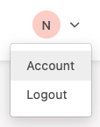
In the upper-right corner, click your initials and select “Account.”
Within the “Edit User Defaults” section, verify that a default value has been selected for each field.
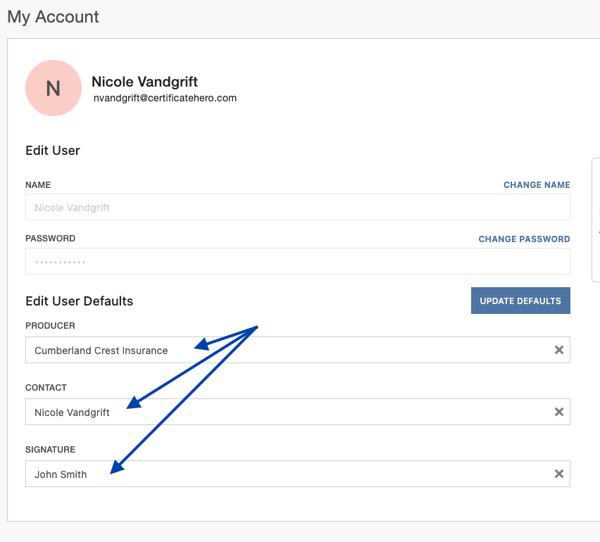
Save your selections by clicking the blue “Update Defaults” button.
2.) Verify Your User Email Configuration
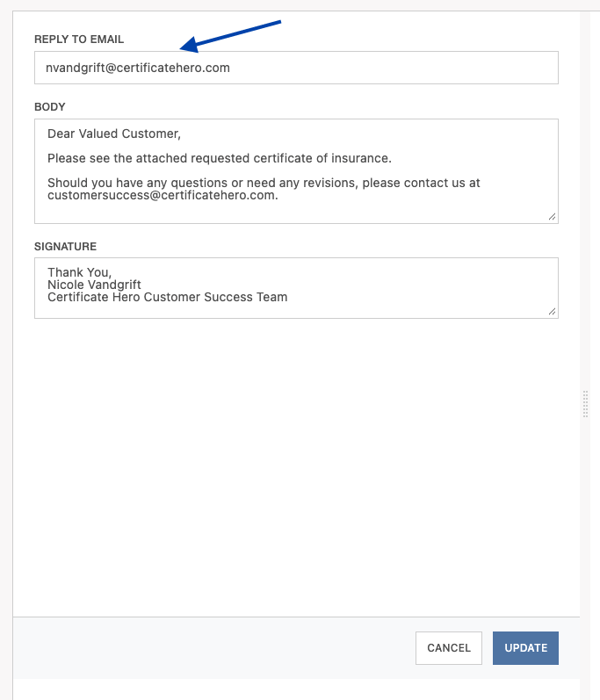
Confirm that a valid “Reply To” email address is configured for both email templates:
- Outbound Email (single certificate distribution)
- Certificate Bundle Email (bulk issuance distribution)
This email address is where replies from email recipients will be sent. This can be your individual email address or a department email address if your organization uses one.
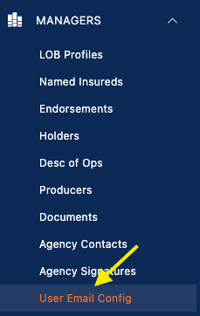
From the Managers menu dropdown, select “User Email Config.”
Click the blue “Edit” button on each template to view and modify the “Reply To” email address.
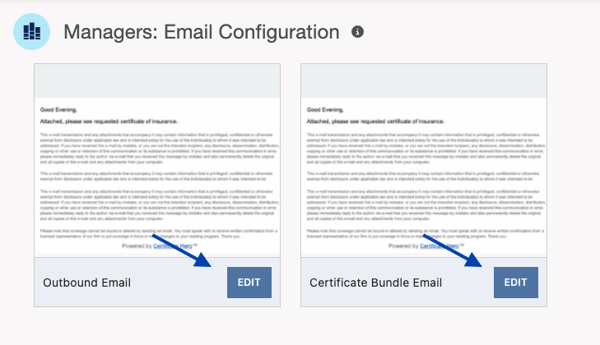
Within each template, verify that your “Reply To” email address is valid and configured as desired.
Once updated, click the blue “Update” button.
After verifying, updating, and saving both settings, retry sending a certificate from Certificate Hero.
If you continue experiencing issues with email distribution, please reach out to Certificate Hero’s Customer Success team through the chat feature within Certificate Hero or from our Contact Us page.